Showing posts with label Visual Studio 2013. Show all posts

Tuesday, August 25, 2015

upgrade to .net 4.5 Iframe issue

http://stackoverflow.com/questions/17809446/iframe-parser-error-after-upgrading-to-net-4-5

You need to add below tag.
<asp:HtmlIframe>
In the designer change the control type to
System.Web.UI.HtmlControls.HtmlIframe
Add the below line in ur Webconfig
<controls>
 <add tagPrefix="asp" namespace="System.Web.UI.HtmlControls" assembly="System.Web"/>
</controls>
This should fix..

Thursday, July 9, 2015

Visual studio 2013 missing convert to web application

http://stackoverflow.com/questions/19561982/visual-studio-2013-missing-convert-to-web-application

Convert to Web Application

Thursday, May 21, 2015

unit test create missing in VS 2013

https://visualstudiogallery.msdn.microsoft.com/45208924-e7b0-45df-8cff-165b505a38d7?SRC=Home

Thursday, November 27, 2014

C# Coding standards using ReSharper

http://gojisoft.com/blog/2010/05/10/coding-standards-using-resharper/

http://rsm.codeplex.com/

Friday, August 22, 2014

Visual studio 2013 - To add a Web reference to a project

http://msdn.microsoft.com/en-us/library/bb628649.aspx


To add a Web reference to a project

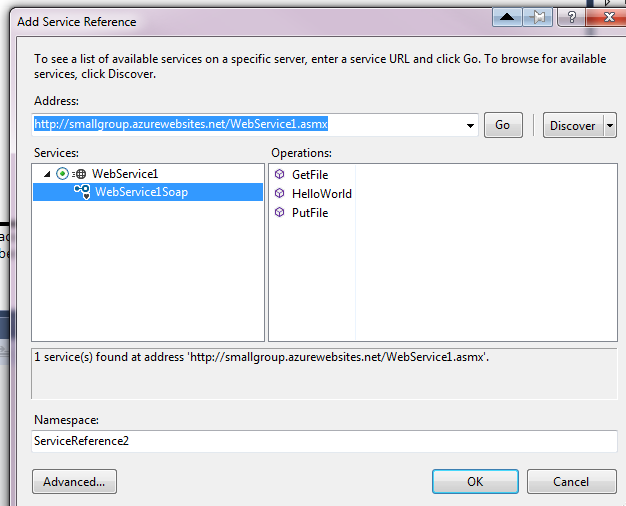
  1. In Solution Explorer, right-click the name of the project that you want to add the service to, and then click Add Service Reference.
    The Add Service Reference dialog box appears.
  2. In the Add Service Reference dialog box, click the Advanced button.
    The Service Reference Settings dialog box appears.
  3. In the Service Reference Settings dialog box, click Add Web Reference.
    The Add Web Reference dialog box appears.


Tuesday, June 24, 2014

VS2013 finally brought back setup project

http://blogs.msdn.com/b/visualstudio/archive/2014/04/17/visual-studio-installer-projects-extension.aspx

Friday, June 20, 2014

If you move VS2013 project to VS2010 to use the setup project in VS2010

I used VS2013 to do all new projects because the UI for coding has improved a lot. Easier to code.

Then come to the time to create a MSI. I move source code to VS2010.

Create a form on VS2010 and have VS2013 open, select all controls of the form from VS2013 and paste to VS2010 form. Then everything will be copied.

The copy the code over, but all the listbox item selected event code you have to deleted it from the VS2013 code (save it to notepad) then create on VS2010 that event to generate the header code for the item selected event, then paste the code back. Then it will work.